Home
Home Products
 Cameras
Launch Monitors
Cameras
Launch Monitors Software
 Enclosures
 ProTee
 Business
 Golf Simulators
 Tech News


GSA Golf develop and manufacture the world's most affordable, yet most advanced and comprehensive
hi-speed camera golf simulator tracking systems on the market today

Technical News
System Updates & Development News
GSA Golf daily updates and news
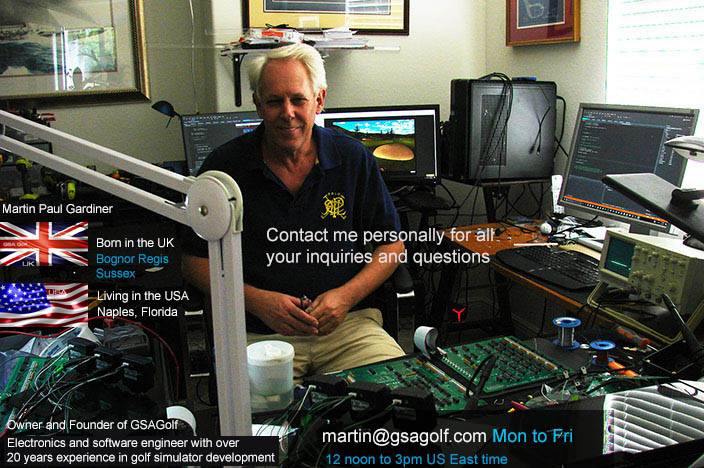
Hi! I'm Martin Paul Gardiner
Electronics and software development engineer and founder of GSA Golf
Regularly check out my tech news page for all our latest developments and free updates
GSA Golf tech news is updated almost daily!
so make sure to check in for all the latest updates and news regularly
If you have any questions
please feel free to contact me personally anytime from M to F - 12noon to 3pm US ET via e-mail at
Please Note: We're closed on weekends and all US national holidays
If you are contacting us on the weekends or on national holidays,
then we'll make best effort to get back to you within 24 hours of the next working day.
Did you get a response to your e-mail?
We get really busy at times and e-mail responses can be late or even forgotten at times.
Please remind us again if you didn't get a response to your e-mail.



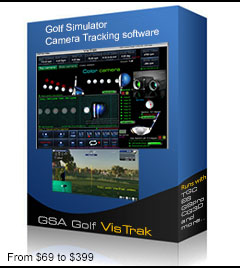
GSA Golf Control Panel (CP) Updates
CP 64 update 10.4.9.6

September 9 1:0 pm
Click the above button to download the latest CP 64 update.
This is a fast download and installation,
suitable for most users that have done updates and initial installations within the last year or so.

Click the above button to read how to buy and install the new 64 bit full version of the CP
How to install the CP (Control Panel) full version and updates


Only download this file if you want to overwrite all your settings with the default settings.
After downloading to your download files folder, copy the Camera.ggs file to the C:\GSAgolf folder and restart the CP
GSA Golf Control Panel Full version
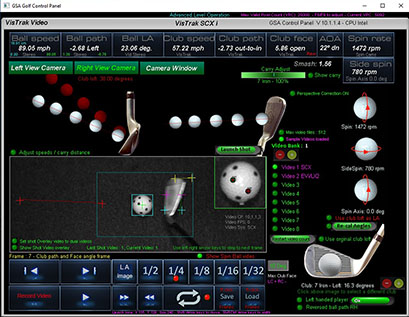
The VisTrak software can be used to evaluate the system with real time image processing
from sample shot videos sent to us from customers.
Download includes sample shot videos of the SCX, EVi and LX2
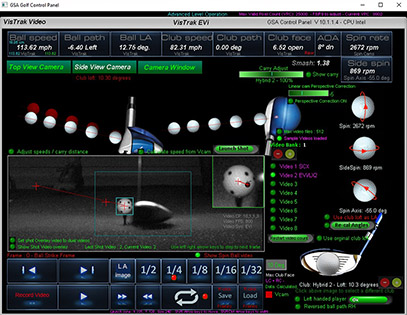
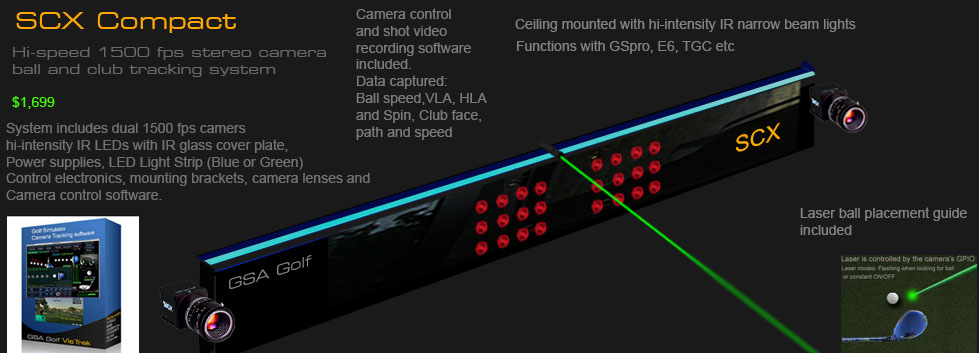
The amazing value GSA Golf SCX
$1,599 to $2,999

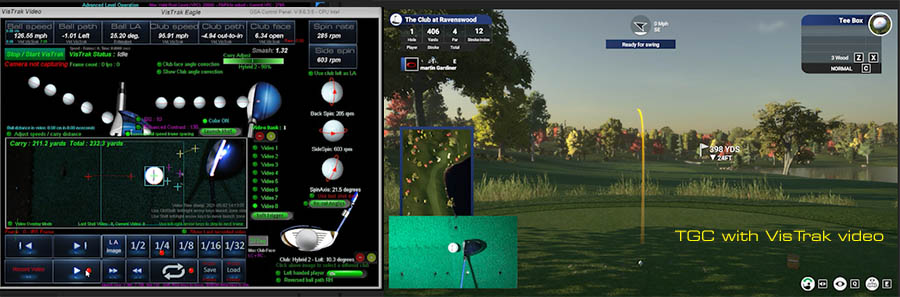
Click above to watch a selection sample videos
Technical Support


Current in-progress development and in Alpha test mode
1. SCX AI with advanced ball spin detection
2. Powered Auto-tee system
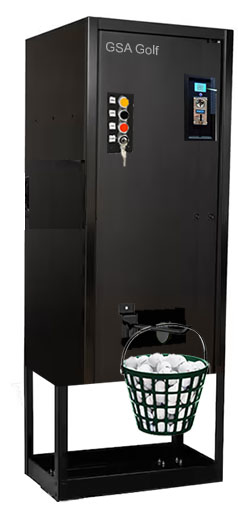
3. Ball dispenser for driving ranges
September 12

Coming in 2027: SCX AI
SCX AI is a free software update for all GSA Golf launch monitor models

For some time now (over a year) I've been experimenting and testing AI methods and AI generated code of camera image ball and club tracking.
I'm at a point now where I can start integrating these methods and code into the current CP software.
Once completed, this will vastly improve the accuracy of the SCX tracking - in particular - ball back and side spin detection
and make the SCX equally as good as any other launch monitor on the market today that is in the $10,000 plus range
while still keeping the SCX super low starting price of just $1,699.
As most probably already know, AI is making leaps and bounds in development with Artificial General Intelligence (AGI) only a few months away
and Superintelligence (ASI) only a couple of years away.
Even in its current state of development, AI can solve most problems it is presented with,
while AGI matches or surpasses human cognitive capabilities across virtually all domains.
And ASI is estimated to be more than a thousand times more intelligent than the combined intelligence of all human intelligence that ever existed.
It has been stated by most AI companies that ASI will be able to solve any problem presented to it.
Including: Curing all known diseases including Cancer and stopping the aging process so that we live forever.
Of course, when in the wrong hands, rogue AI can equally totally disrupt and destroy our world as we know it.
e.g. totally disrupting the internet, taking over the SWIFT banking system so that bank accounts are depleted,
shutting down major infrastructures causing major power blackouts, developing thousands of Viruses far more dangerous than Covid
and unleashing them on human society etc,etc...
In contrast to HAL ( the rogue super computer in the ScFi film 2001: A Space Odyssey) where the crew could simply pull the plug on its main brain functions,
rogue AI can self replicate itself thousands of times on thoudsands of servers around the world. i.e. you can't stop it.
One can only hope this doesn't happen in our lives but I fear it will sooner or later.
Anyway, bearing all this super intelligence in mind, I have no doubt that when presented with a super simple task such as to precisely measure
a golf ball's spin from a camera is absolutely peanuts.
September 11
In rememberence to all that perished on this day 25 years ago at the Twin Towers in New York.
I remember clearly where I was on this fateful day (Working as a programmer for a Bank in Frankurt, Germany).
My wife ( an employee at Lufthansa airlines) called me from her office. After that, we all at the bank stayed glued to the TV screens watching the horror
September 11 2:40 pm
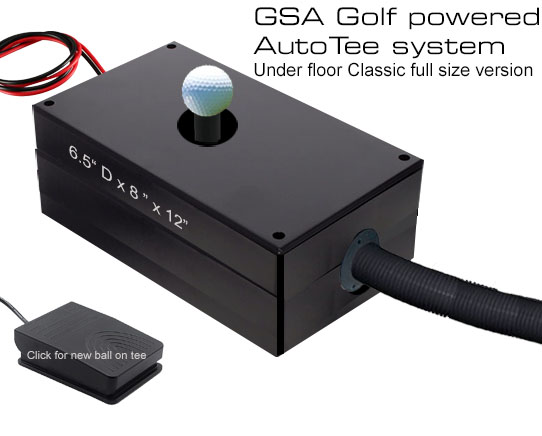
New re-designed casing for both the Auto Tee system and the new Ball Dispenser are on order.
CP update 10.4.9.6
September 9 1:00 pm
Update for GSA API users
September 7 3:30 pm
New super strong actuator sourced for the Auto Tee system.
After much testing, it's turned out that the originally used mini actuators were not strong enough for the task.
So, time to get out the big guns and use a far stronger unit.
Nicked named "Big Bertha", (due to its much larger size and power) this actutor works exceptionally well.
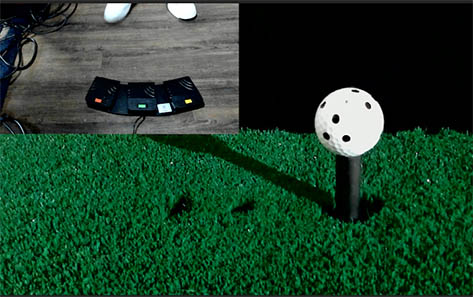
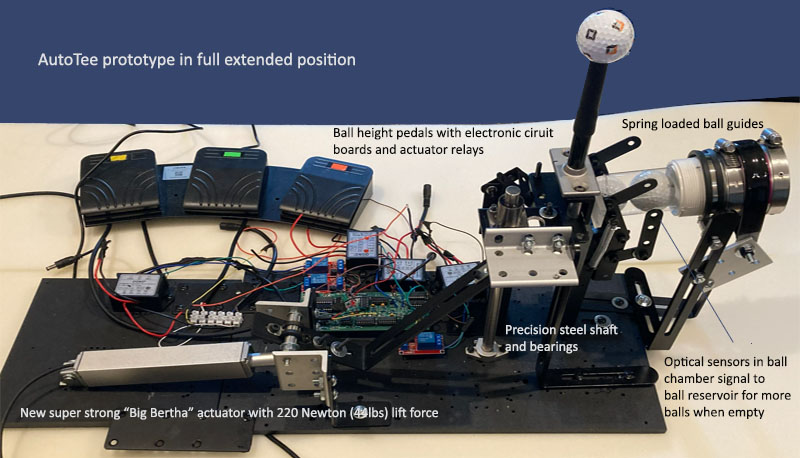
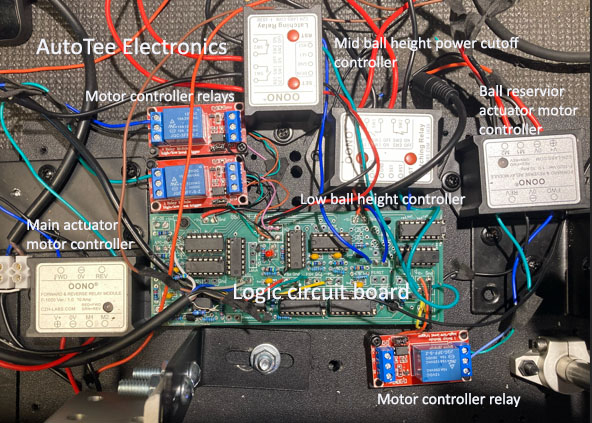
After many hundreds of hours of development of this product this summer, I'm nearing completion now.
While the electronics are working just fine, the mechanics required many updates and modifications in order to get the system working well.
In particular: Sourcing a suitable actuator that is not only powerful but fast (i.e. under 2 seconds) and quiet.
The original mini actutators used turned out not to be strong enough so a new larger and super strong actuator was sourced.
In addition, the ball guides presented many problems. The above image shows the new spring loaded ball guides and ball chamber.
All looks good now but many more Alpha and Beta testing is still required before this product can go into production.
Estimated release date has thus been rescheduled for November
September 6 3:30 pm
CP update 10.4.9.5
Numerous smaller but still very important updates in this version
In particular - the ability to permanently switch off ball spin validation.
When switched OFF, ball spin will always be measured and not altered.
August 27 2:40 pm
New back-wall mounted curved screen frame
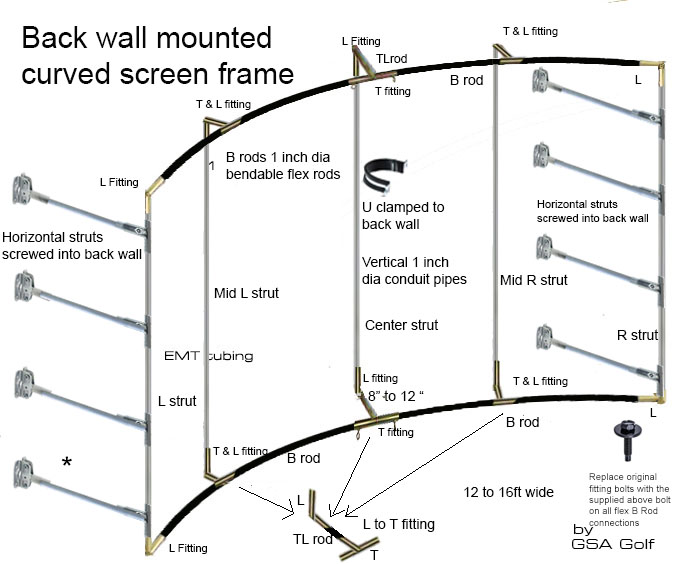
Click above image to read more...
August 16 2:40 pm
SCX Compact sales surge
Business news:
We are experiencing a big surge in sales for the SCX Compact at the moment.
On average: 2 per week. One distributor even asked me if I could supply 10 per week.
No wonder at this price. No one else even comes close.
Software development for the SCX is constantly being improved with new releases on a monthly basis.
System now comes with a 16 page user manual and all software is now being supplied on a USB drive, so no need to download anything anymore.
August 11 1:00 pm
CP update 10.4.9.2
Fix: CP staying in Putting Mode after manually selecting through all clubs
July 31
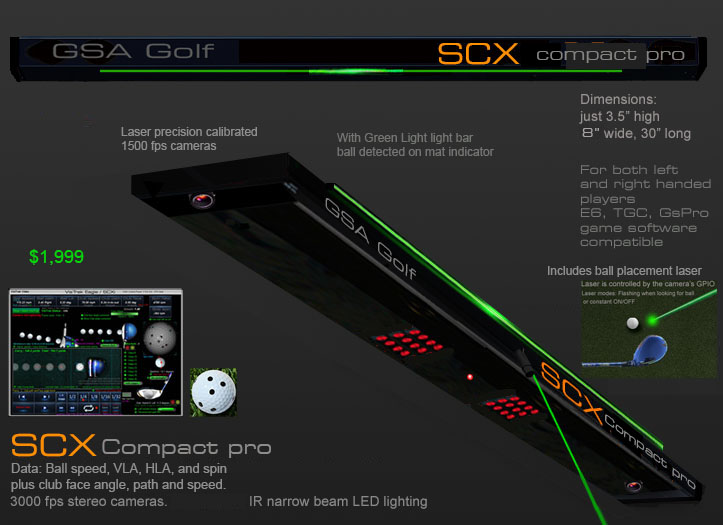
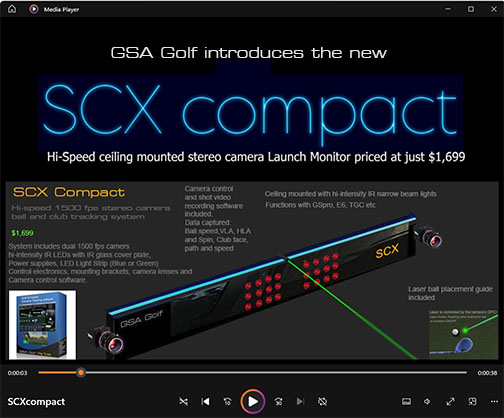
Same features as the regular SCX but with less powerful IR lighting and in a slim-line light weight metal framed case
July 12
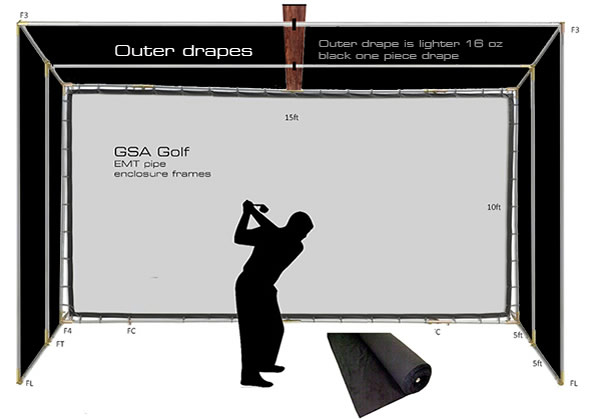
Great new drape selection and lower prices for enclosure drapes
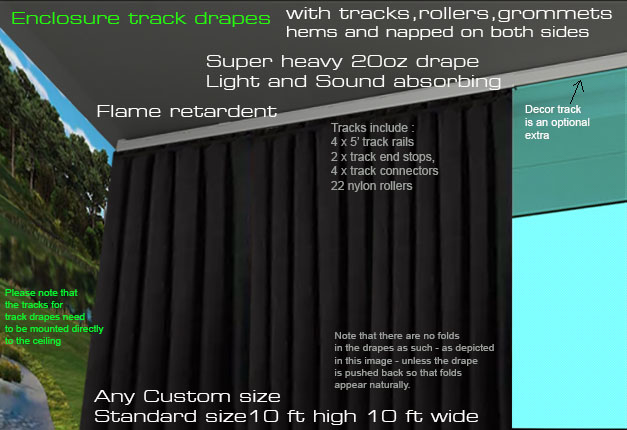
Click above image to read more...
July 9
Auto tee-up system development
Here's a problem that's reared its ugly head with the auto tee system during testing:
The rubber tee doesn't always bend exactly back to its original straight up position.
When this happens, the ball from the ball feeder won't sit nicely on top of the rubber tee - which can cause the system to jam up.
I'm working on a guide that always aligns the rubber tee to fix this though.
Generally speaking, I must say the complexity of this system is way more than I expected.
Even though all the issues have been fixed, the system is - apart from the above mentioned issue - working just fine.
The problem is, to assemble this system with its (equally complex) powered ball feeder for production is ludicrously time consuming.
I'm basically looking at a 40 hour assembly and testing time for each unit.
That said, max production will be in the 1 to 2 a month range unless productionn can be outsourced..
July 3 12:30 pm
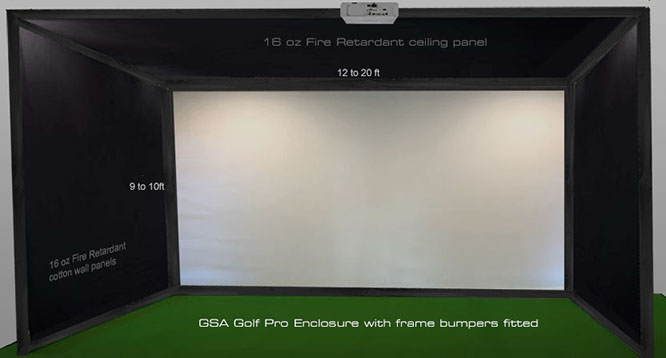
GSA Golf self-standing enclosures now include the pipe/frame bumpers in the price
July 1 2:30 pm
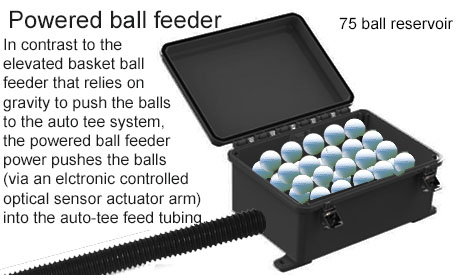
I must say that the amount of engineering development time for this product was way beyond what I expected it to be.
The system now requires dual optical sensor circuits to control the spring slide mounted actuator arm that pushes the balls out into the ball feeder tube.
Engineering challenges were :
1. how to push balls out into the ball tube that has an incline ?
use of an actuator arm does this
2. how to prevent balls in the tube from rolling back into the reservoir ?
Spring gates mounted at the outlet do this. i.e. the balls are pressed through the one way spring gate)
3. what to do when the ball tube is full and cannot except more balls ?
The actuator is mounted on a spring loaded slider that is pushed back when the resistance forward is too great
4. how to prevent the actuator circuit from continuously pushing the actuator arm forward when the ball tube is full ?
A second optical sensor detects that the spring loaded actuator arm has been pushed back and cuts off the actuator push forward signal.
5. how to keep a constant pressure on the balls in the tube so that they flow out as required?
When in the above mentioned actuator push-back mode, there is a constant pressure on the balls in the tube which is required to move out as required.
6. Other smaller challenges were how to get balls in the reservoir to roll into the outlet opening, how to ensure the actuator is always in alignment
and how to securely mount the ball tubes at both ends ?
An angled internal plane and rubber couplings mounted onto flanges do this.
Actuator alignment was achieved by mounting alignment bolts on either side of the moving actuator arm.
No easy task as the spring loaded actuator is moving on a slider and actuators are normally on secured at one end (thus they can drift left or right)
Product development time
2 plus months - Auto tee-up system now in its 4 month of testing and development
Product assembly time
At present this looks like to be in the 16 hour range. Hence the $999 price tag.
Auto Tee-up system price tag ( including the powered ball feeder) is now $2,999
June 30 2:30 pm
CP update 10.4.9.1
Post shot pop-up ovelay now also includes a ball spin axis graphic
June 28 1:00 pm
CP update 10.4.9.0
Nice new post shot pop-up overlay with ball VLA and HLA graphics and ball spin video
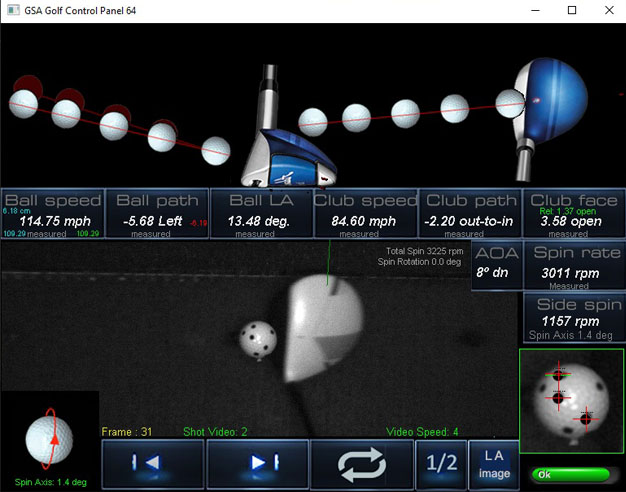
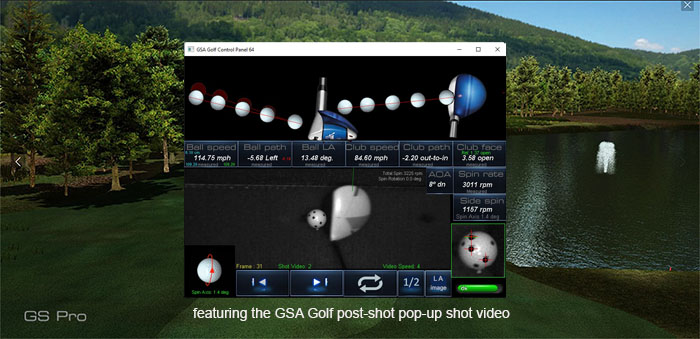
This new overlay graphics option can be switched off/on in the setup panel for those that don't like it. Default is ON though
BTW maybe I'm missing something here but I didn't notice that GSpro (unlike E6 and Protee's VX) has a post shot graphics pop-up.
If it's in there, I couldn't find it. Anyway, now there's GSA Golf's graphics option now for GS Pro.
June 27 12:30 pm
CP update 10.4.8.9
User request: Min Ball speed (carry) factor reduced to 50% from 60%.
A couple of cosmetic updates
June 22 11:30 am
CP update 10.4.8.8
Side spin adjustment increased if using the option "SideSpin from rel. club face"
June 12 3:00 pm
CP update 10.4.8.7
Shot replay video user defined playback speeds now being stored
June 5
Current status of new product development
Powered Auto tee
The current rubber tee alloy tube shaft is being replaced with a solid steel precision milled shaft as there were concerns that the tube shaft my fail after time.
A number of small errors in the control circuit board are being corrected with a new board production run.
Powered Ball feeder
Tests revealed that the rotating brush method of pushing the balls out into the return tube was insufficient to push the balls up an incline.
The new method - using a spring loaded actuator arm controlled by optical sensor circuits works far better.
The optical sensors detect when a ball is in the chamber position and activates the actuator that pushes the ball out into the return tube.
A gate on the outside prevents balls from rolling back into the chamber.
Should the return tube be full, then the spring loaded actuator is pushed back so that it doesn't jam.
After a ball is pushed out, the sensor detects this and retracts the actuator arm ready for the next ball (should there be one).
Auto ball return
Tests revealed that the ball belt conveyor method of transporting balls back was too finicky compared to the simple powered track tilt method.
Thus the conveyor belt method has been abandoned
Driving range ball dispenser
Electronics are completed and the first tall steel (super heavy) cabinet has arrived from the manufacturer.
It will take about 2 weeks to finish the design and run final tests of the mechanics.
May 25
Coming later this summer:
New low cost ball dispenser for driving ranges and commercial indoor golf facilities
2500 plus ball capacity
Super heavy duty cabinet
$2,999

Competitor products are vastly more expensive
May 22
New powered ball feeder for AutoTee systems
May 21
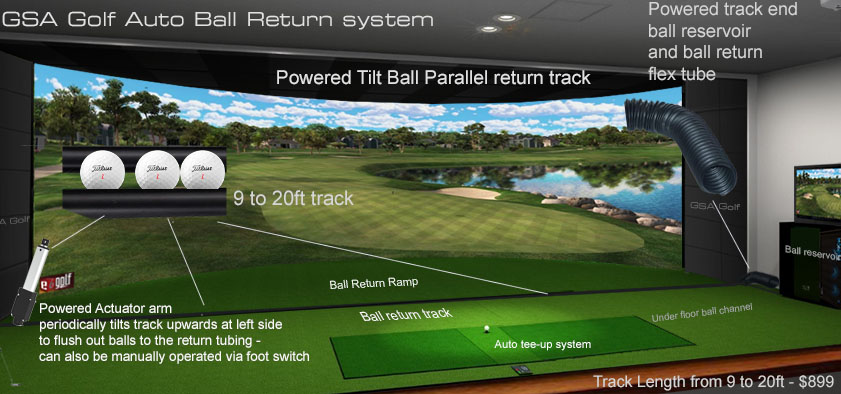
Powered Auto Ball Return systems
Coming soon: Available June 2026
May 14 10:40 am
New SCX Compact
May 13 2:30 pm
CP update 10.4.8.6
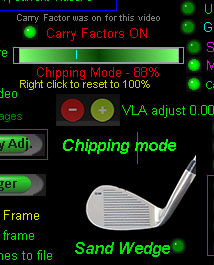
By popular demand: New Chipping mode ball speed/carry adjustment
Set in the Camera panel.
Select Chipping mode by pressing the C key, and the regular Club Carry Factor slider bar will convert to the new Chipping mode carry factor.
May 9
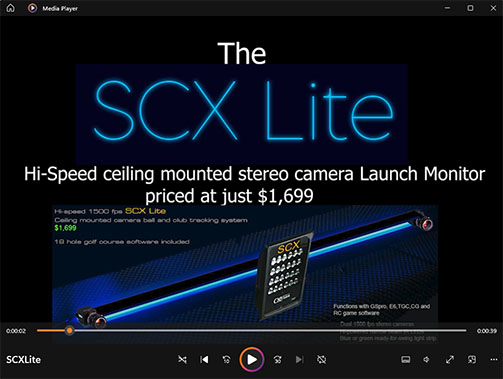
New SCX Lite
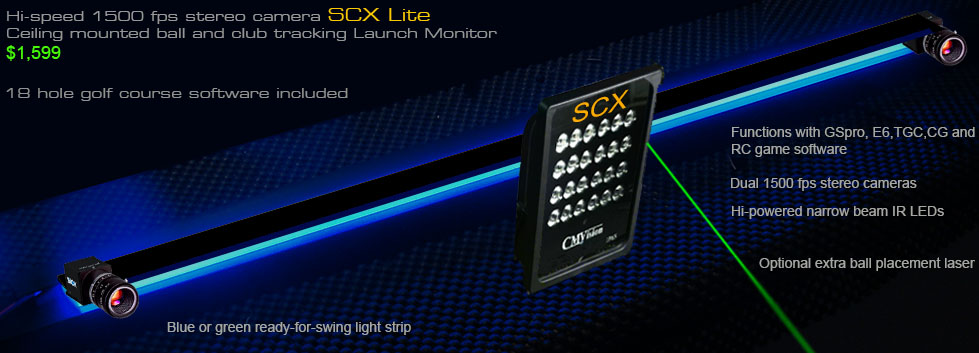
The world's lowest priced yet most comprehensive hi speed tracking system
No other golf simulator manufacturer comes anywhere close
May 8 10:40 am
New lower summer special prices
New SCX S
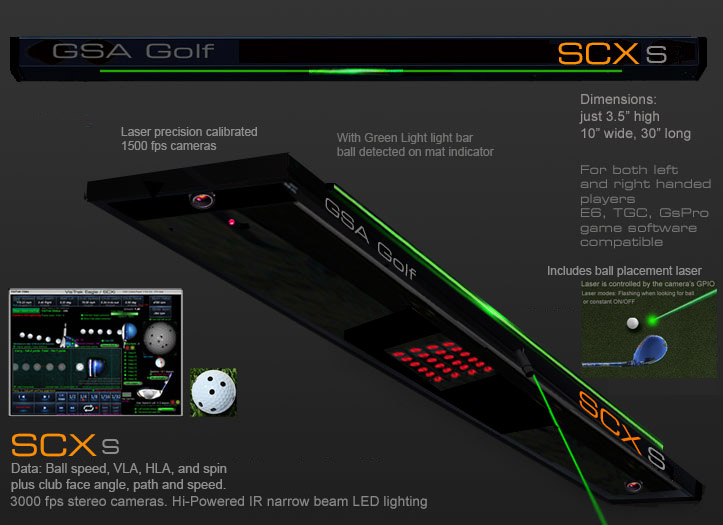
$2,199
Xcam
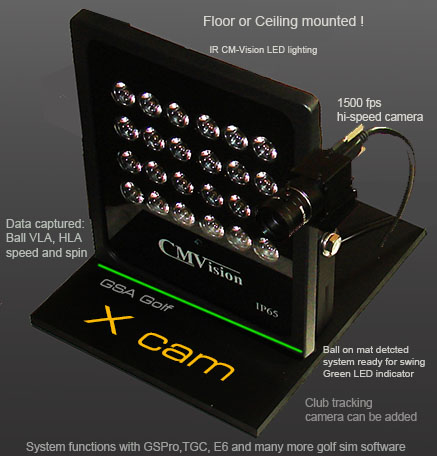
Price $1,299
Summer special low price
Price $899
New lower cost LX2 Lite
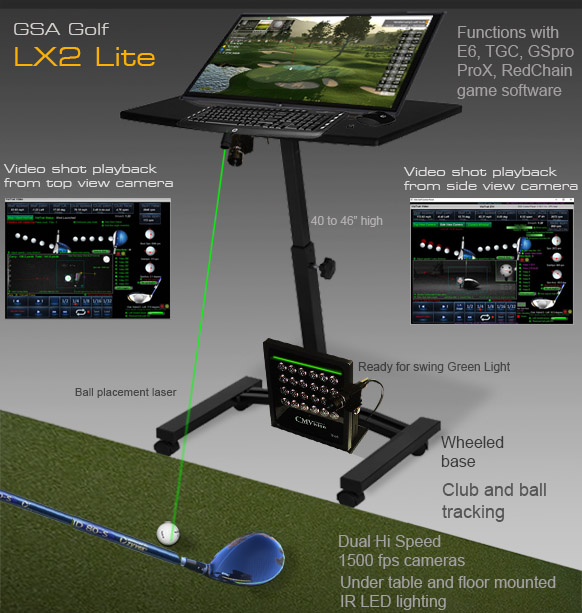
Click above image to read more...
May 51:30 pm
CP update 10.4.8.5
New customer camera registrations
Chipping mode club feature reinstated
May 3 9:00 am
New Xcam systems
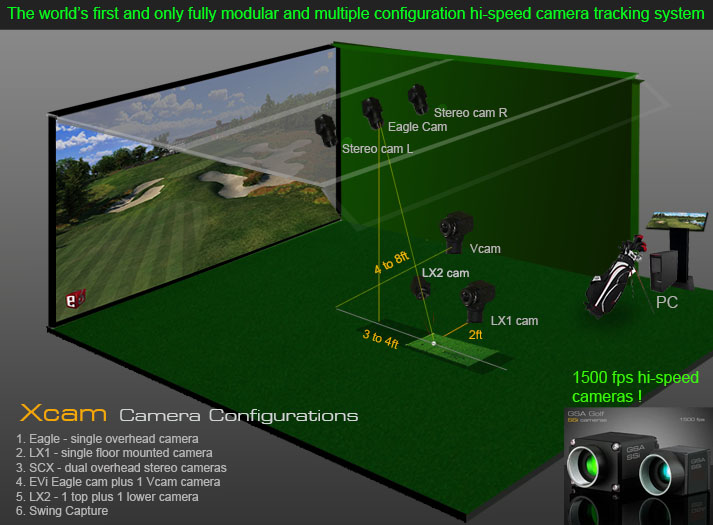
VisTrak Xcams are interchangeable and fully modular
Both can either be floor or ceiling mounted.
A single Xcam can be used a floor mounted system to create an LX1/Vcam or ceiling mounted to create an Eagle system
When purchasing a second Xcam, a full SCX, EVi or LX2 system can be created
Xcams come complete with 24 LED IR narrow beam lights, interchangeable lenses, power supply, 40ft USB3 cables plus ceiling and floor mounts.
Price $1,299
Available at all good golf simulator retail outlets
Click above images for more info ...
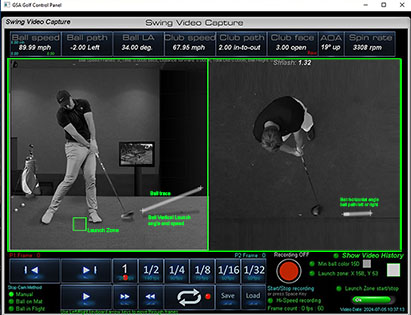
Xcams can also be used as a hi-speed Swing Capture system
Click above images for more info ...
April 30 1:00 pm
CP update 10.4.8.4
New customer camera registrations
A number of smaller updates - including negative vertical launch angle avoidance procedures.
April 24 2:00 pm
New "How to Build your own Golf Launch Monitor" video
April 23 11:50 am
New LX/EVI Intro promotional video
April 22 1:20 pm
New SCX Intro promotional video
April 20 4:00 pm
CP update 10.4.8.3
New customer camera registrations
A number of smaller updates including laser not switching off after ball is detected
April 12 3:00 pm
LX2 construction updates
The LX2 now features reinforced tower platform mounting brack ets
plus all cables, power supplies and electronics for the cameras, laser and IR lights are now embedded into the tower post for a much cleaner look.
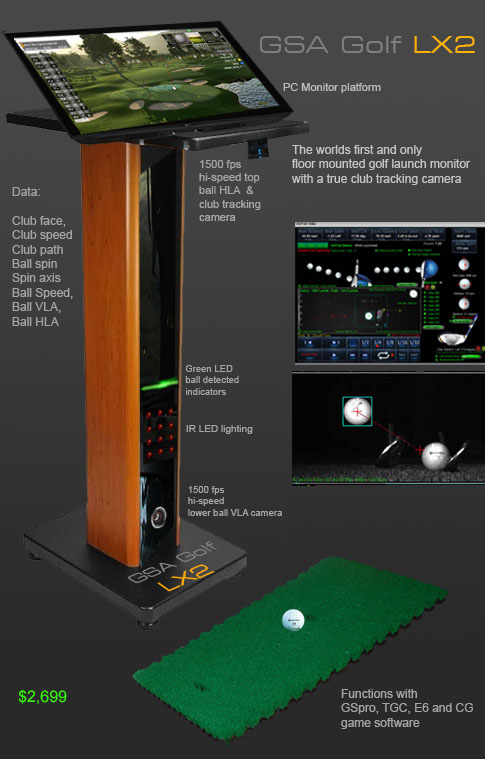
Box is 36" X 24" X 12" : 22 lbs
April 11 4:00 pm
CP update 10.4.8.2
New customer camera registrations
A number of smaller updates
March 6 1:00 pm
CP update 10.4.7.6
New: Camera frame rate settings now fixed.
i.e. either 790 or 1500 fps ( as per the camera manufacturer's specifications)
The CP's measured fps is no longer being used as measured fps can fluctuate depending on the CPU or USB bus load)
February 4 3:00 pm
CP update 10.4.7.4
A number of smaller but potentially important updates
JJanuary 25 8:45 am
New EVI Vcam
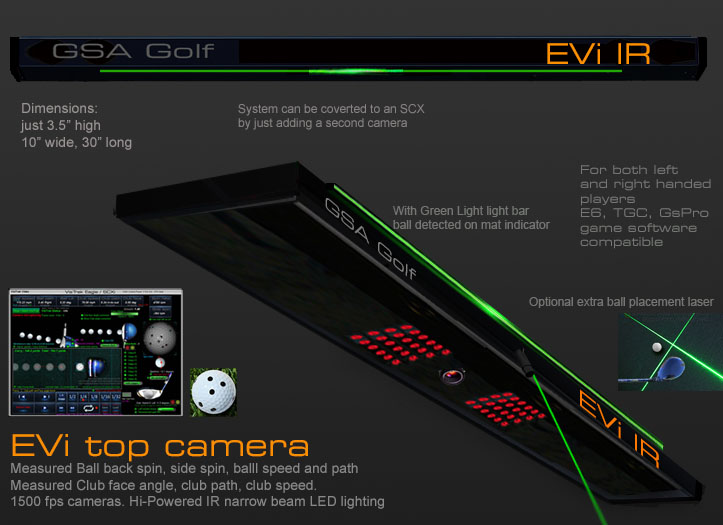
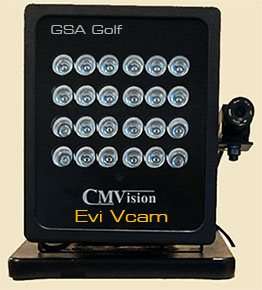
Now includes laser control for the EVI ceiling mounted camera
January 19 12:00 pm
CP update 10.4.6.9
New SCX ball VLA adjust buttons in the camera panel
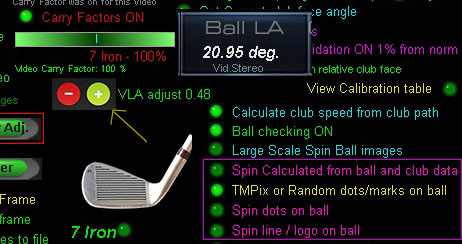
This saves you from having to navigate all the controls in the calibration table panel.
January 18 2:30 pm
SCX calibration table check results
January 9 12:40 pm
New Wall-to-Wall curved screen frame.
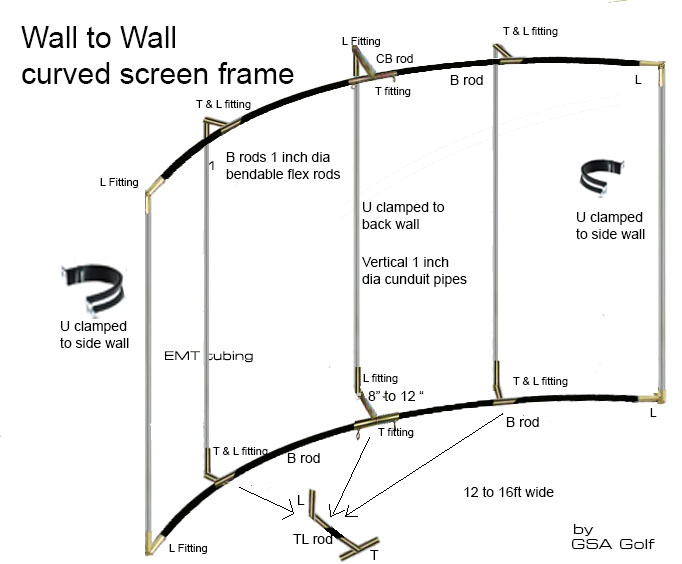
Click above image for details ..
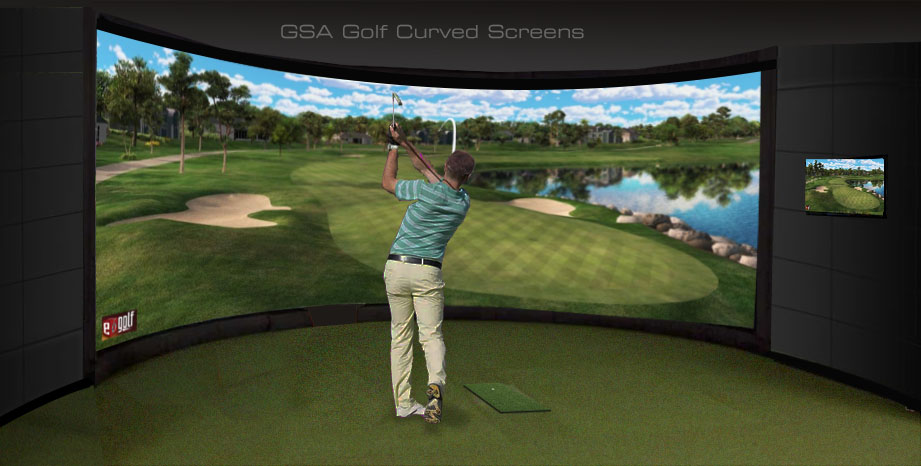
More details on how to install curved screens
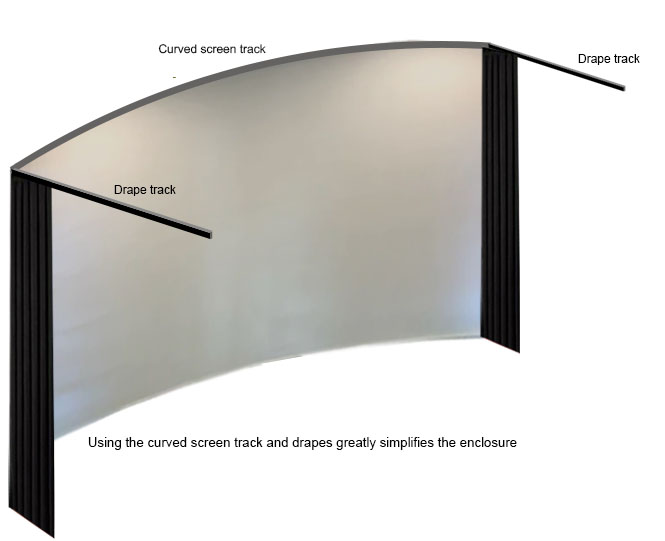
Click above image to read more...
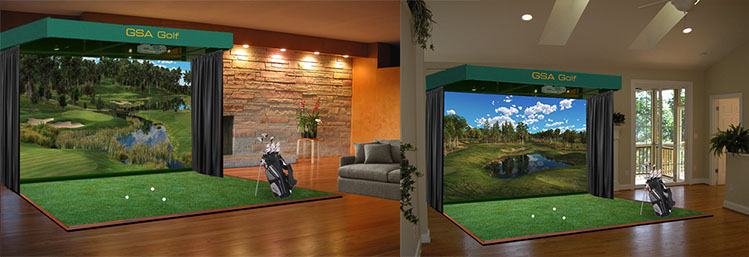
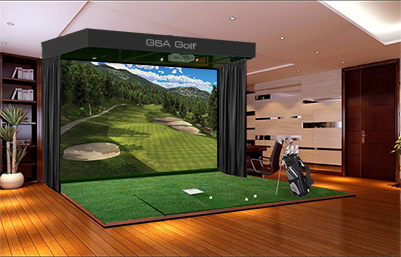

Click above for all your accessory requirements

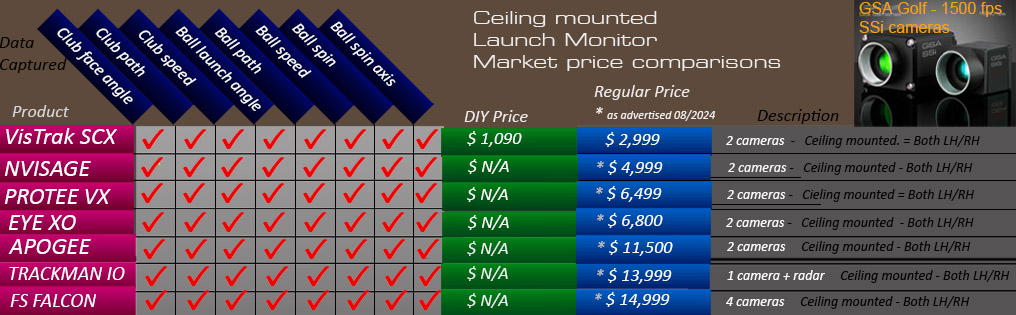
Similar product market overview
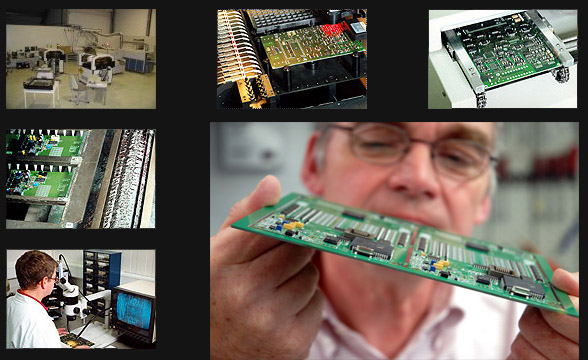
Factory
Based in Naples, Florida,
all GSA Golf products are meticulously assembled and tested by hand to meet the highest industry standards
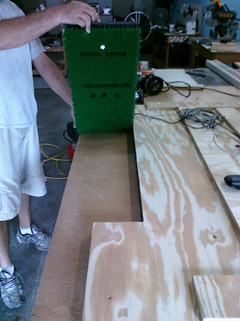
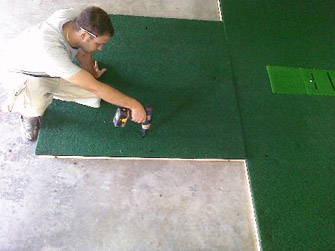
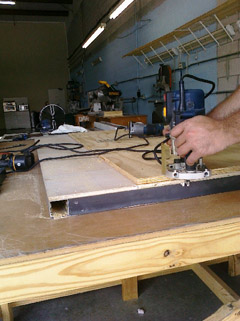
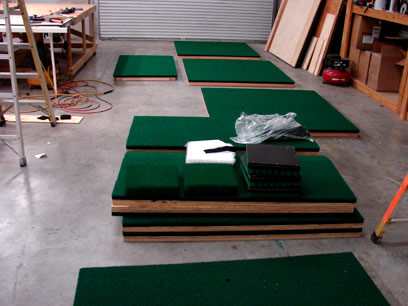
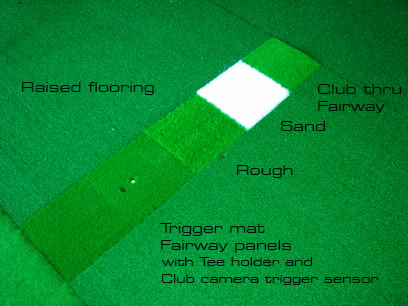

GSA Golf golf simulator components and kits
CX and Vistrak system components can be used to build the complete GSA Golf golf simulator camera tracking system
at a far lower price than the ready made system prices

Click above to read more about GSA Golf components and kits

The GSA Golf camera tracking software is available to
all OEM golf simulator manufacturers
and/or DIY enthusiasts for just
$ 299.00
Just purchase your own cameras and lighting
Click above image to read more
GSA Golf Investment and Reseller Opportunities


Recent customer comments
Hi Martin, I just wanted to drop you a note to say how amazing the new VisTrak camera is.
I am still playing around with the settings and learning but the video capture and being able to see the frame by frame impact is awesome!
I also really like the way you show the ball ready/playback buttons as an overlay on the TGC.
The best part of my day is going to the tech page and seeing your latest updates - keep up the good work!
Richard L. Illinois 12/17/2020

Hi Martin- I wanted to let you know how much I appreciate your efforts.
I could have bought any of the expensive and well-known golf simulators, but I’m glad I ultimately took the chance and bought your products.
It wasn’t an easy decision, as it takes a leap of faith to take the road less traveled, but it has made all the difference.
I love that your products are not perfect (no one's are) but that you strive for perfection while pushing innovation.
You’re clearly never satisfied. As soon as you develop a new software feature, or build a new camera system, you're immediately back at it working on the next iteration.
You’re a true inventor and engineer. Almost every day I download the latest beta and see how it enhances the simulation.
It's like Christmas morning everyday.
Sometimes there’s a marked improvement. Sometimes the new feature “breaks” something else.
But over days and weeks, I feel how the collective innovations are improving the overall experience.
Your products aren’t for everyone but they are a clear alternative to the high-margin corporate products that have an arm's length association with their user base.
Buying a GSA product is buying into you and becoming part of your user community.
You listen, you care, and you explore. I know many of us appreciate it but perhaps not enough of us say thanks.
Martin, thank you for an enjoyable and rewarding journey with your products in 2020.
You’ve made a COVID 19 year more endurable.
Eric P. Burien, WA 12/25/2020
Matt P. 1/15/2021
Hello Martin, I have had 2 weeks of excellent play and stability in Eagle Mode! This has been very enjoyable! Matt T.
Matt T. 1/14/2021
Hi Martin, I see your daily updates on the Tech News page and I just want to say thank you for all your hard work and dedication.
Your passion for golf and engineering clearly shows and thank you!
Mike B. 05/03/2021
Thanks Martin……..
I appreciate the excellent customer service and fair pricing! And the very informative website!
Have a great day!
Mike.
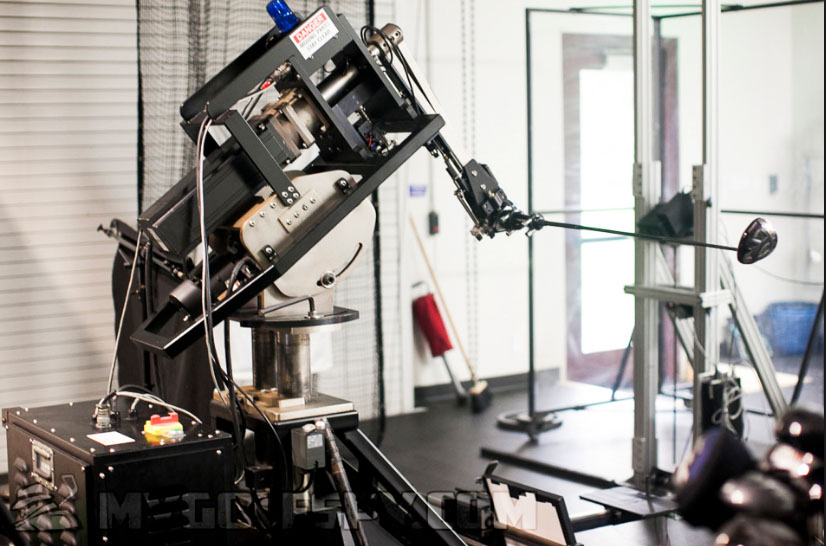
Click above button to read more...
Technical Support

Martin Gardiner
Founder of GSA Golf

These days, when I'm not developing golf simulators, you'll find me in my keyboard music studio
Hi! I'm Martin Paul Gardiner
Electronics and software development engineer and founder of GSA Golf
Regularly check out my tech news page for all our latest developments and free updates
if you have any questions
please feel free to contact me personally anytime from M to F 10am to 3pm US ET

Currently looking into integrating AI technology into GSA Golf tracking systems
Contact us


Business opportunities with GSA Golf

Enjoy huge earnings and great markups by using our cameras and software
for your system installations or just offering any of our products for direct sale.

Launch Monitors
 -
- -
-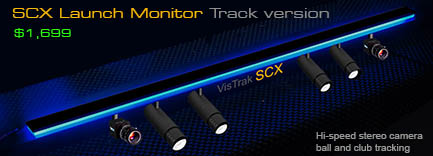
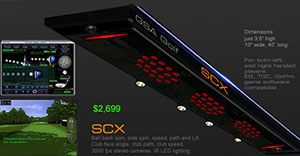
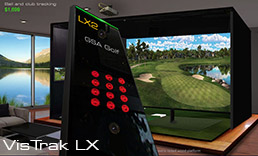
VisTrak hi-speed camera Launch Monitors from $ 1,999.00
Click above images to read more...
PROTEE VX

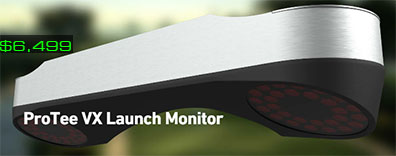
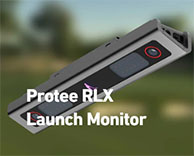
Currently the world's most advanced hi-speed tracking system
$ 6,499.00
This ceiling mounted, camera based system accurately measures club and ball data
without the need for specialty balls or marked clubs !
Click above images to read more...